
Hi guys,
I wanted to share with everyone a pretty bad surprise when I tried to install a brand new Dynamics v9.0 instance OnPremise for a client.
I know that installing an OnPremise instance is not something you do everyday now but ...
Besides all steps which were fine, I started to struggle when I had to install the Reporting Extensions (which is a requirement to full fil the installation).
Here is the issue :
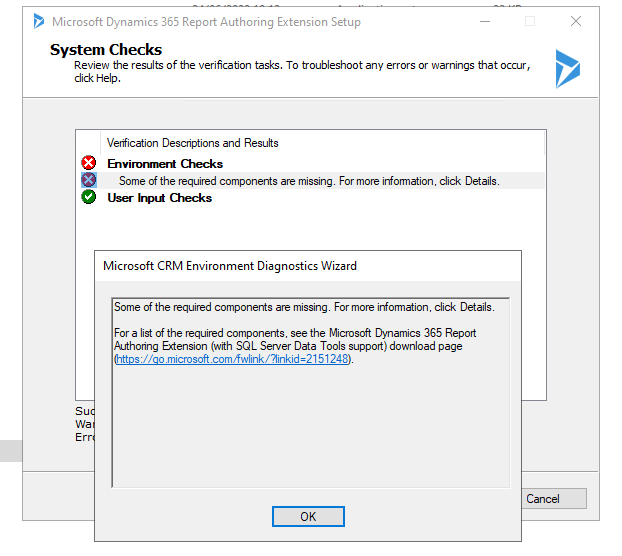
Don't get me wrong, I've tried to access the link, looked for the error message, it was all about the SSDT which was already installed along with the Visual Studio instance.
And of course, before I installed the SSRS on the right server.
After discussing with a colleague who faced the issue with another client (this was a known issue by MS), we figured this out.
Here are the steps to fix the installation :
- You should have the installer from that url : https://www.microsoft.com/en-us/download/details.aspx?id=57478
- Extract it using the following command line :
./CRM9.0-Server-ENU-amd64.exe /extract:C:\YourPath9.0This will create a folder with all necessary files. - Next step is to download the 0.3 update here : https://www.microsoft.com/en-us/download/details.aspx?id=58153
- Download the CRM9.0-Srs-KB4490599-ENU-Amd64.exe file
- Extract it using :
./CRM9.0-Srs-KB4490599-ENU-Amd64.exe extract:C:\YourPath0.3 - Get back to your "C:\YourPath9.0" folder and edit the file install-config.xml in the SrsDataConnector directory
- Replace
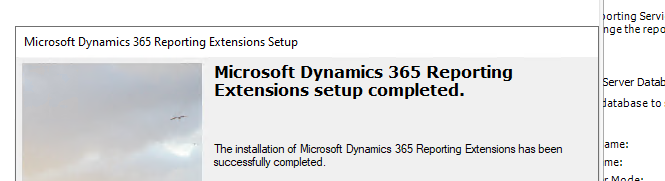
<patch update="false"></patch>by<patch update="true">C:\YourPath0.3\Srs_KB4490599_amd64_1033.msp</patch> - Run the Reporting Extensions install again and this should be fine !
I hope this helped you.
Cheers,
Clément
PS : you do have several step by step guides :